1.
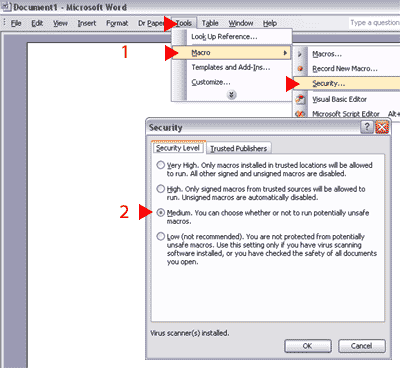
In Word 2003, click Tools, Macros, Security. The Security dialog will display
2.
Make sure the dialog is set to Medium.
3.
Click OK to exit the dialog and begin using Dr Paper.
Note: The first time you create a document using Dr Paper, you may
see a dialog informing you that the template contains macros
by Oberon The Write Direction Inc.
Check the option to Always Trust Macros from this Publisher, and then
click the Enable Macros button.